
How to Use Our New Affiliate System
A quick guide to your personal affiliate link, product promotion, commissions, and referrals.
01 — Apply to Become an Affiliate
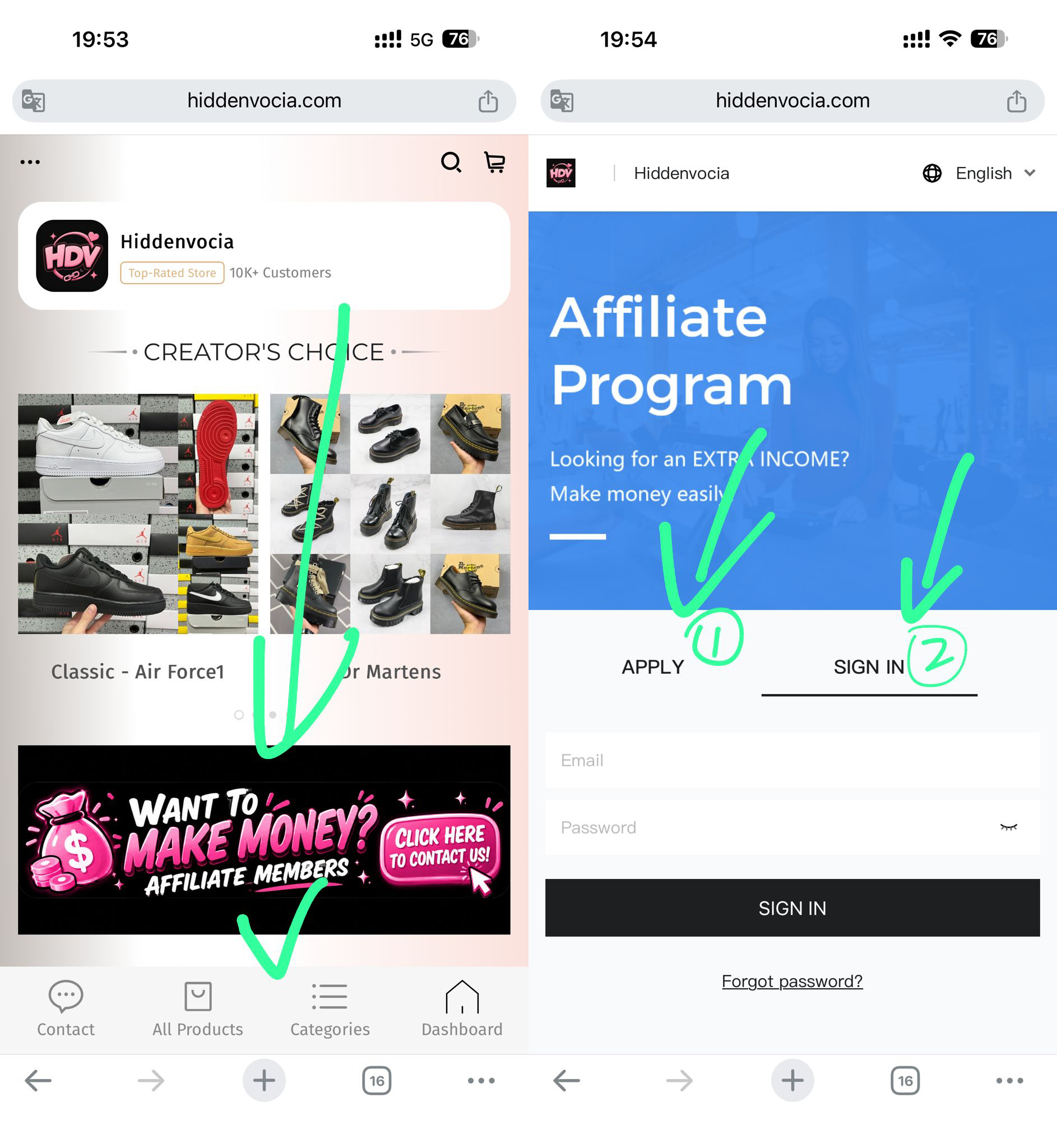
To get started, please apply for an affiliate account first.
You can access the application page in either of these ways:
- Click “Make Money” on our website homepage.
- Visit our Affiliate Application Page directly.
Submit your application, and once your account is approved, you can sign in to your affiliate dashboard.
02 — Set Up Your Personal Affiliate Link
After your account is approved, please send us the personal code you would like to use.
Your code can contain letters and numbers, but no spaces.
For example, if your code is 914, your personal affiliate link can be:
hiddenvocia.com/914
The same code can also be used as your personal coupon code.
This code cannot be changed by yourself. Please contact us to set it up or make any changes:
WhatsApp +86 180 2717 0507
WhatsApp +44 7942 873409
03 — Two Ways to Promote
Option A — Share Your Personal Website Link
This is the easiest way to promote.
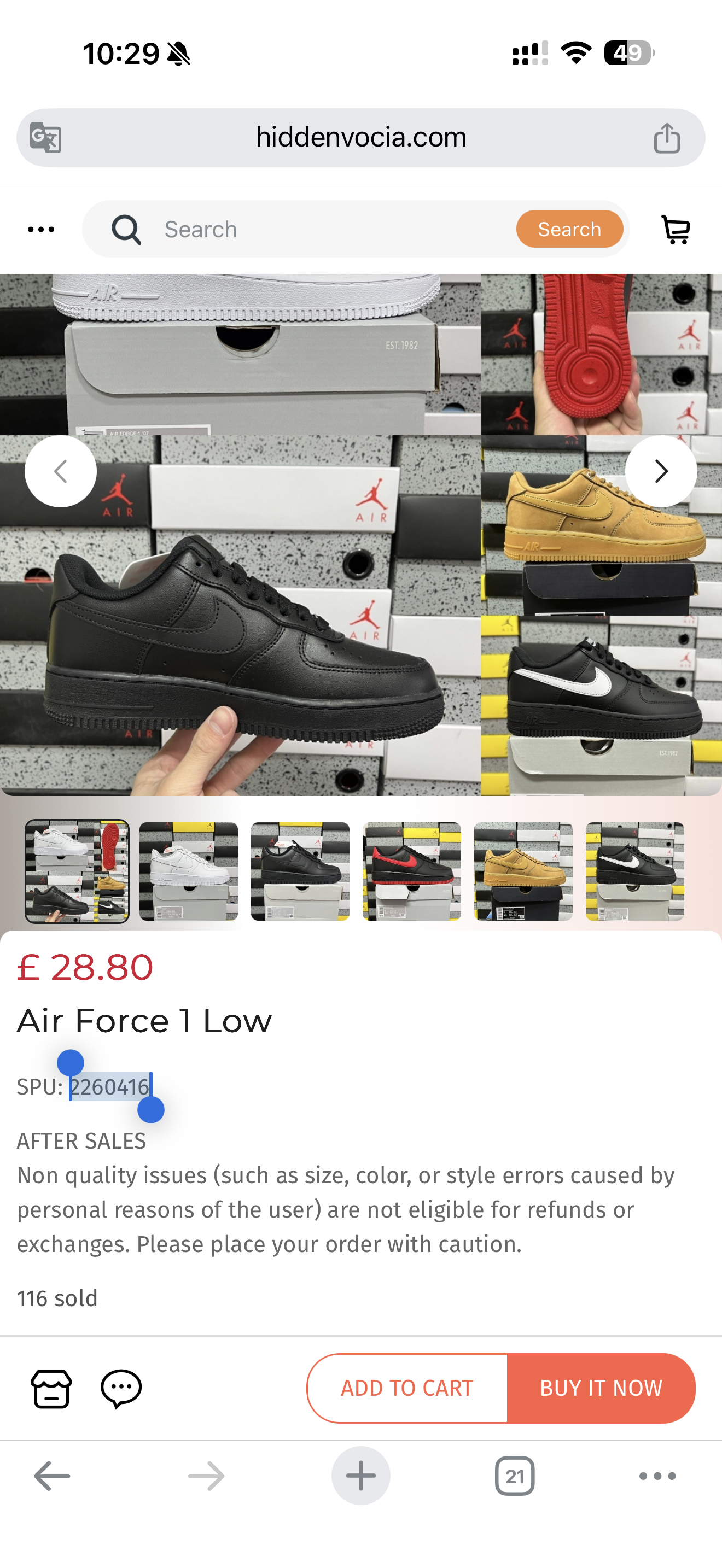
Simply share your personal website link together with the product’s SPU code.
For example:
Website: hiddenvocia.com/914
SPU: 2260416
Each product has its own unique SPU code. We will provide the SPU when there is a specific product we would like you to promote, and you can also find it on the product page.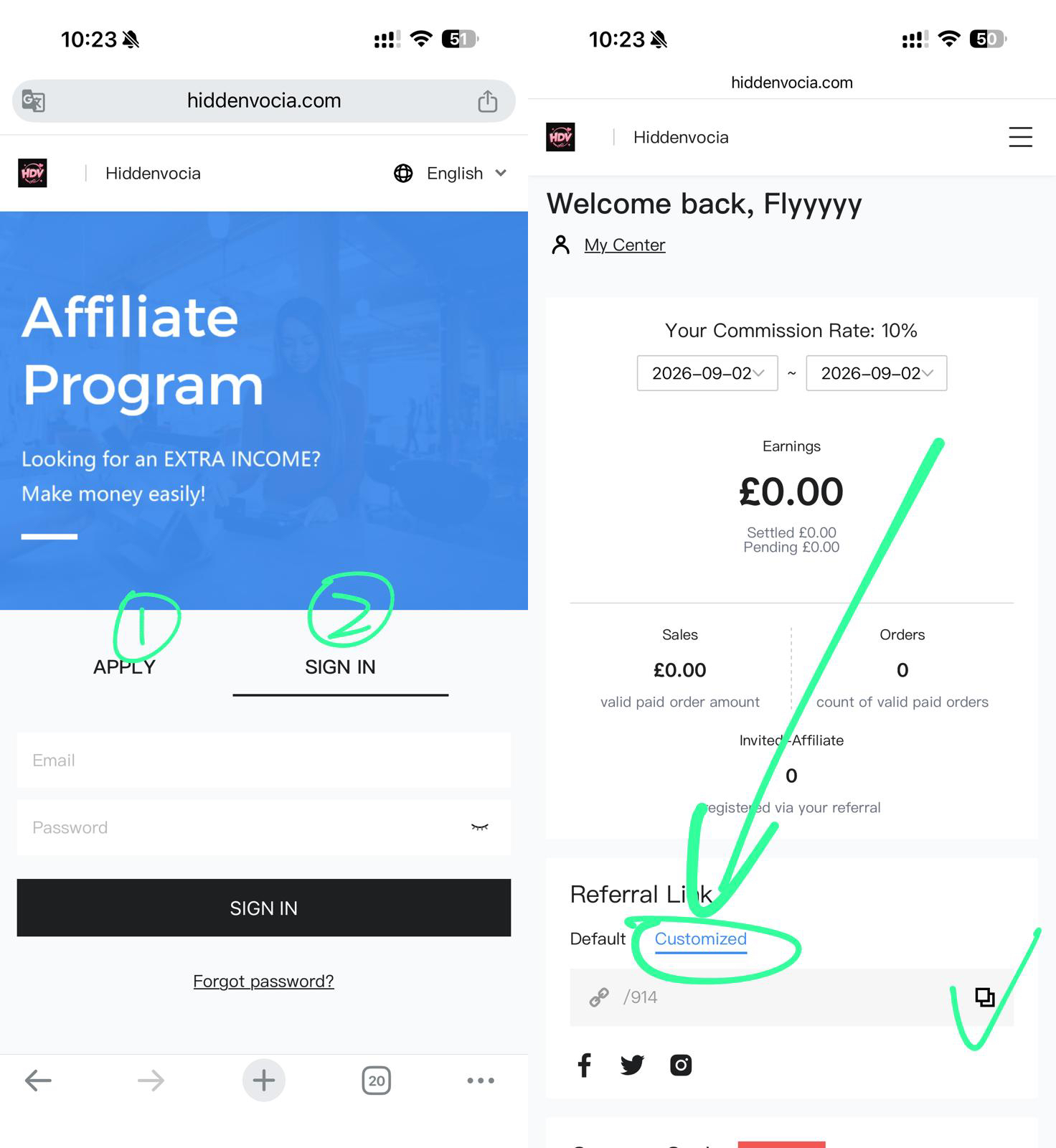
Option B — Share a Direct Product Link
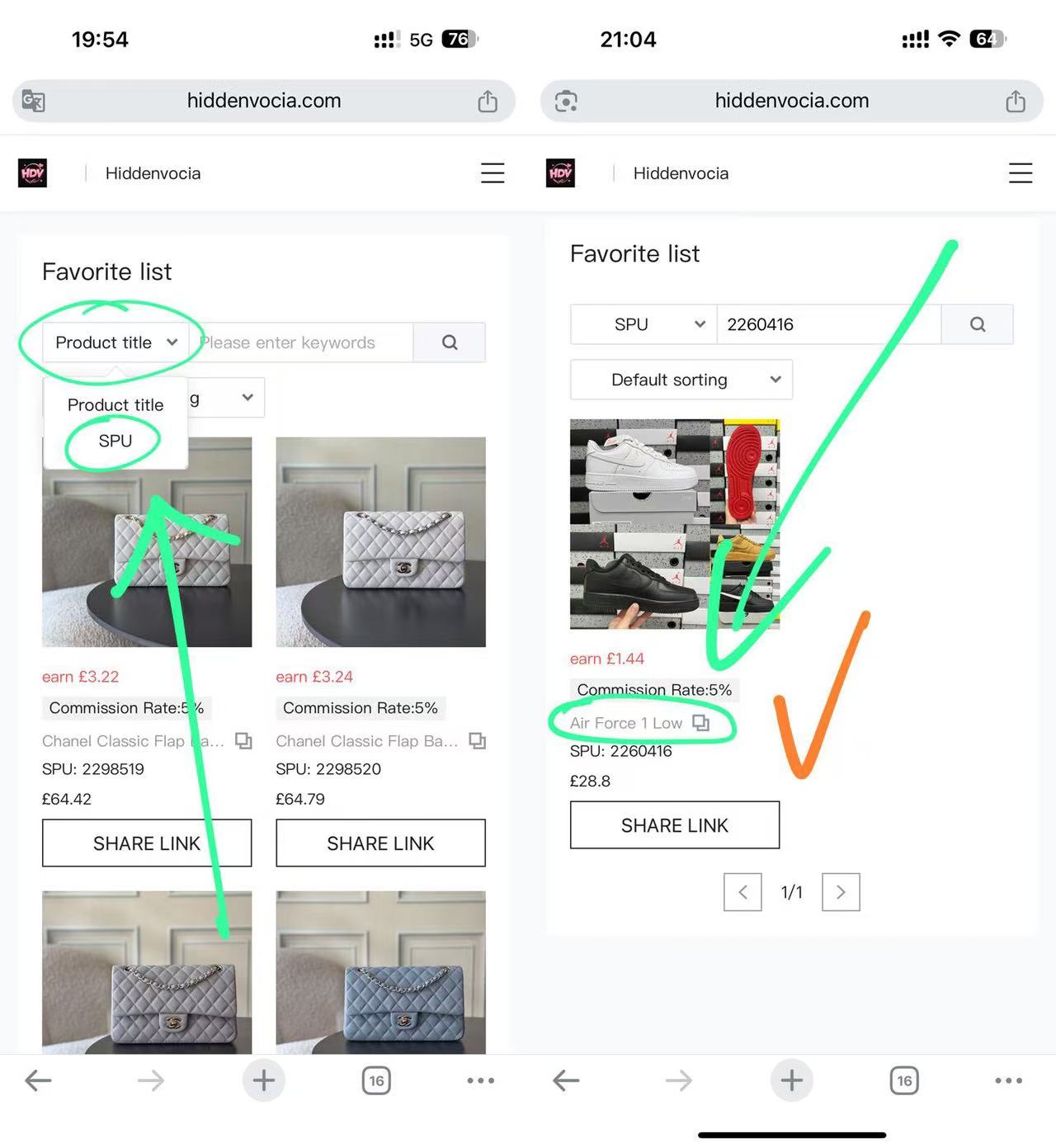
If you want to promote a specific product with a direct link, use its SPU code to find it in your affiliate dashboard.
Go to:
Menu ☰ → Products → Select “SPU” → Enter the SPU code → Find the product → Click the copy icon
This will generate your personal affiliate link for that product. Simply copy the link and use it for your promotion.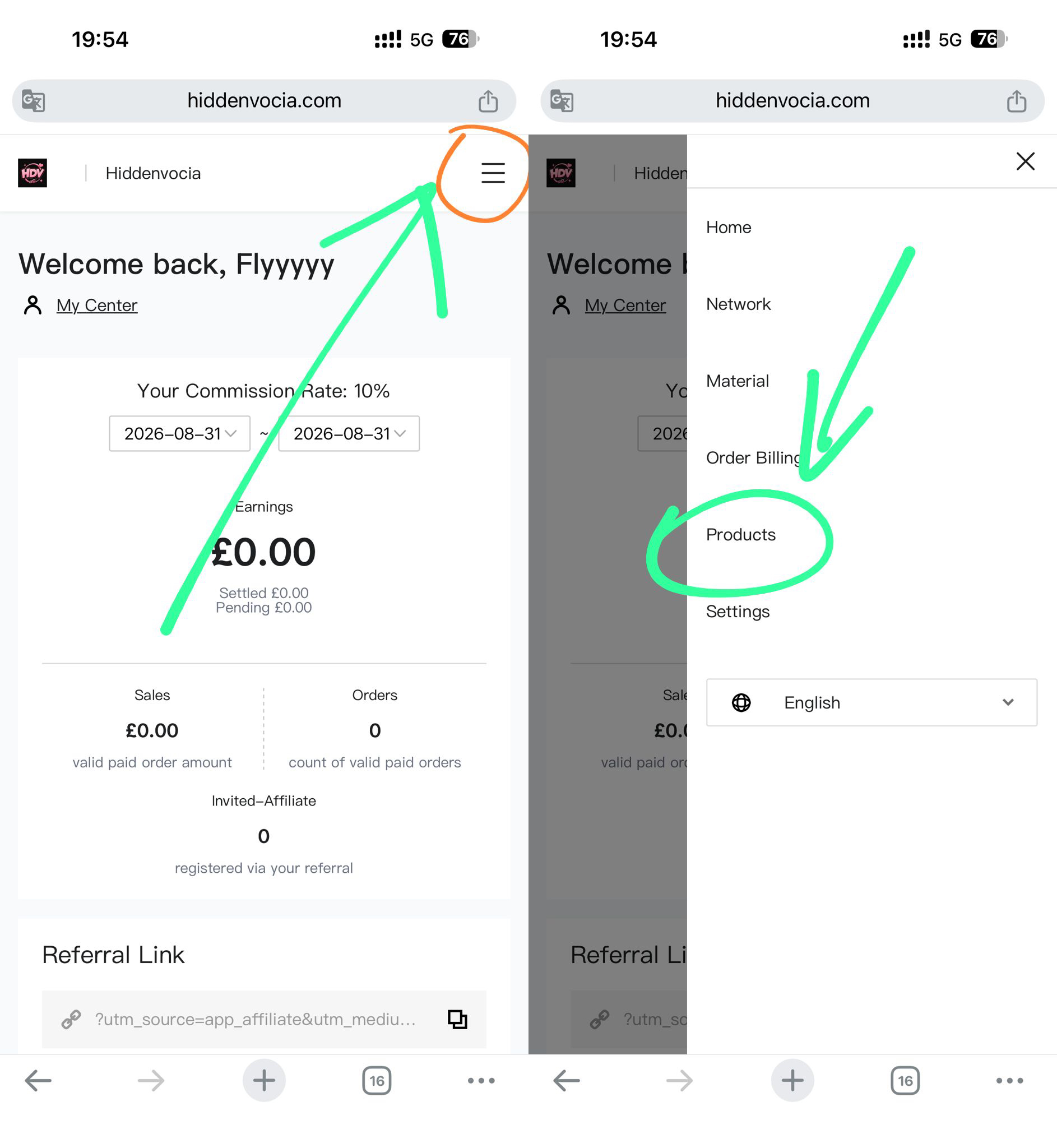
You’re Ready to Start!
Once your personal affiliate link and coupon code are set up, you’re ready to start promoting.
If you have any questions or need any changes to your affiliate settings, please contact us:
WhatsApp +86 180 2717 0507
WhatsApp +44 7942 873409
We’re always happy to help!